VibeCockpit
Copilots everywhere. But where's the actual cockpit? VibeCockpit finds all your AI coding sessions — one search, one click to resume.
curl -fsSL https://raw.githubusercontent.com/NJannasch/vibecockpit/main/install.sh | bash
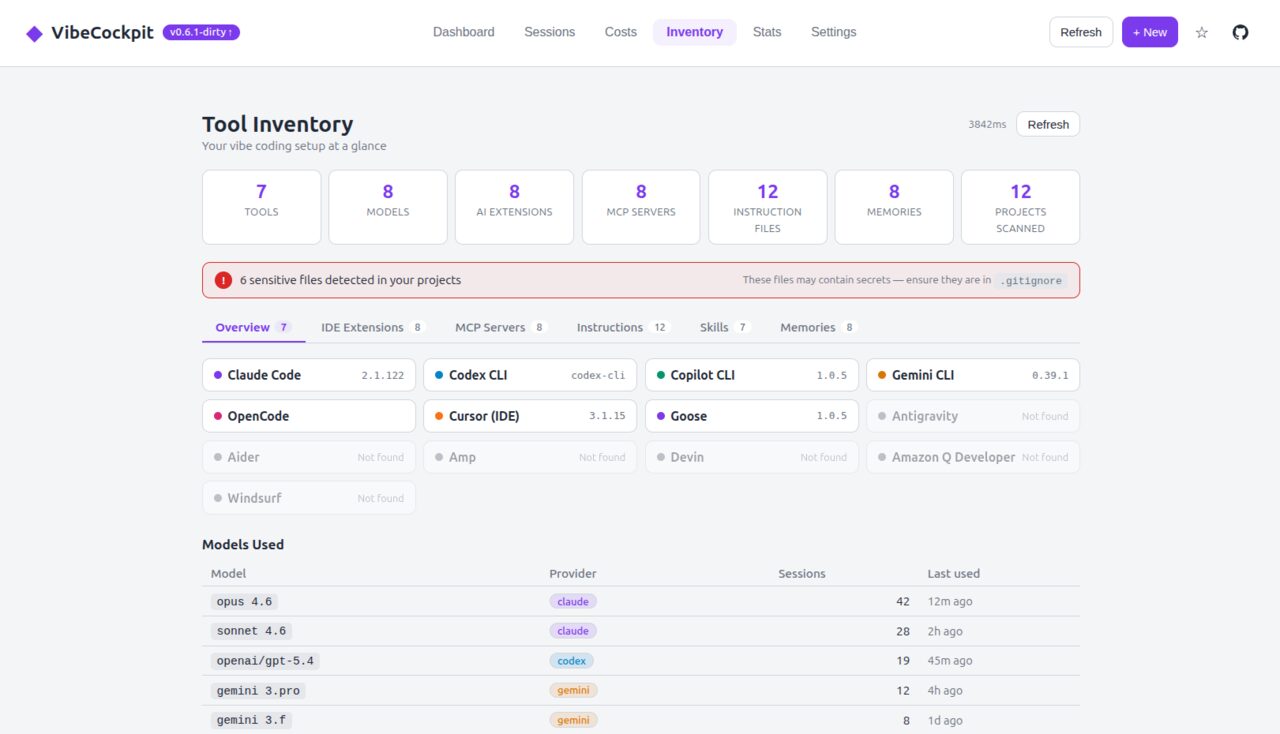
- AI Tool Inventory — scan tools, IDE extensions, MCP servers, configs, memories
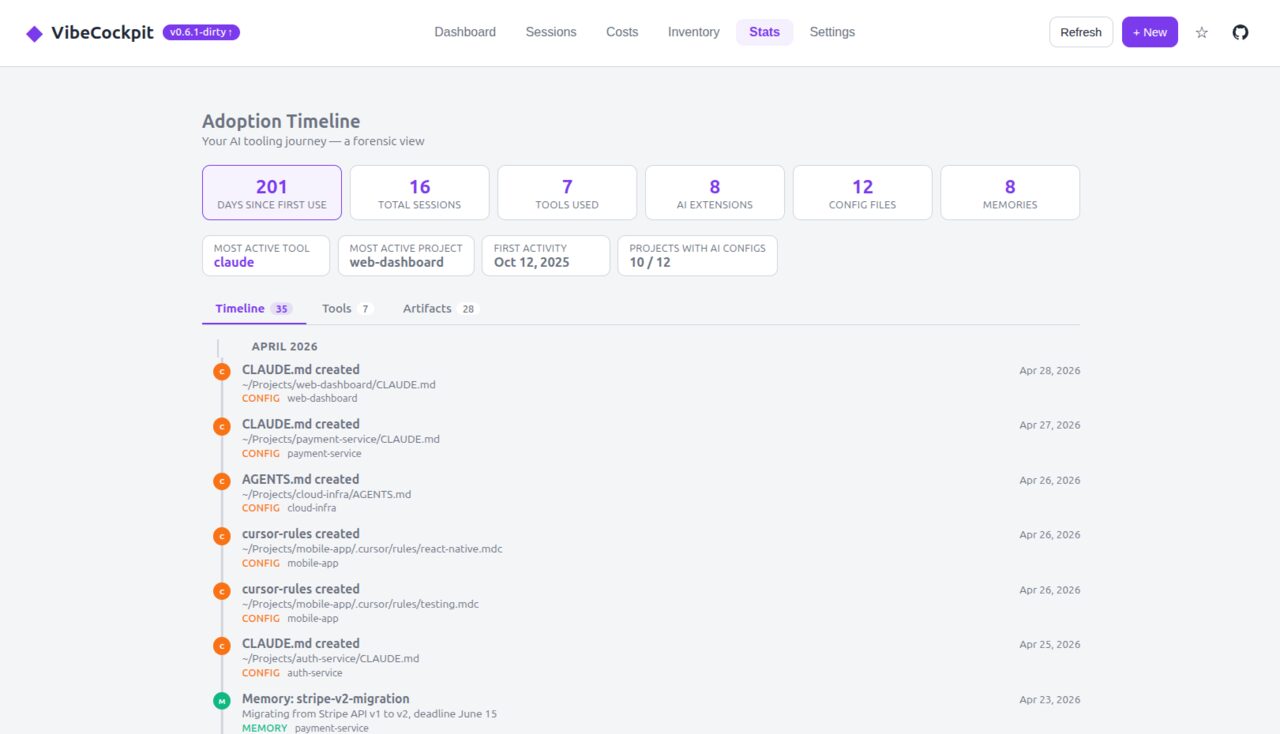
- Adoption Timeline — forensic view of your AI tool history
- IDE extension scanning across VS Code, Cursor, Windsurf, Trae, Zed
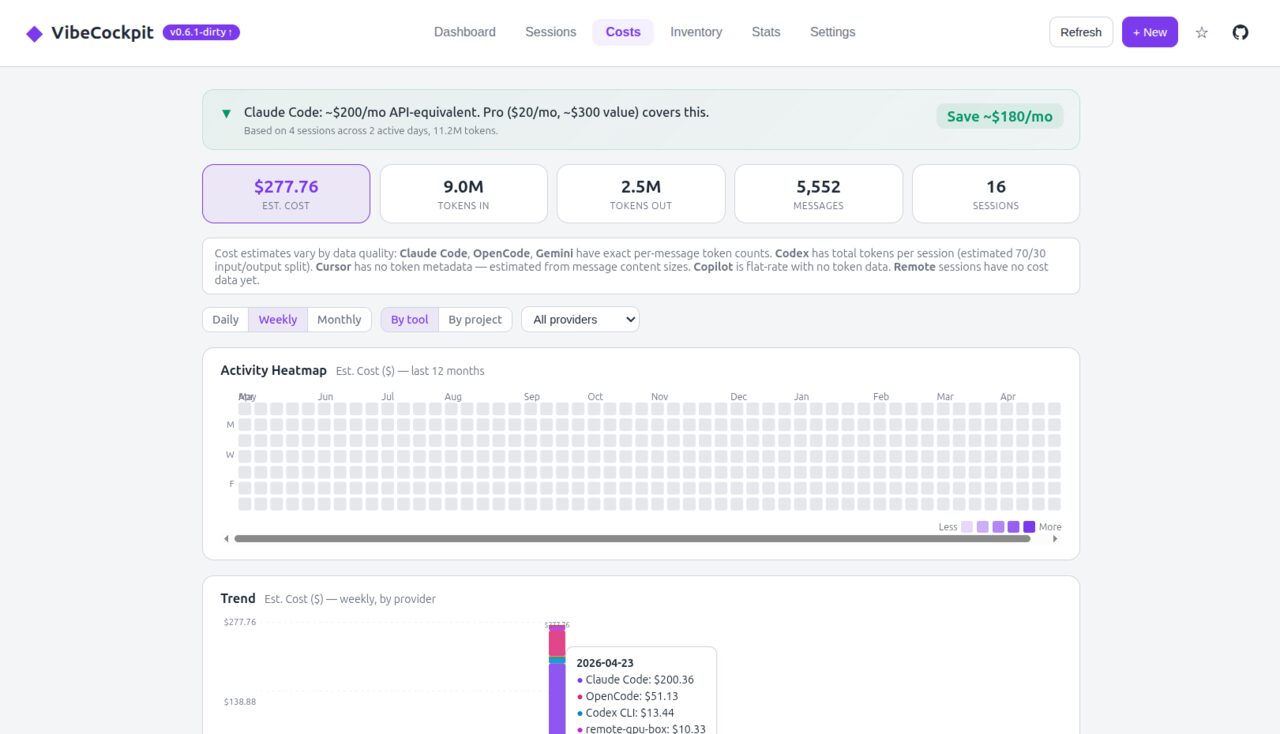
- Cross-tool cost tracking with heatmap & charts
- Cursor Agent & Antigravity providers, first-launch wizard
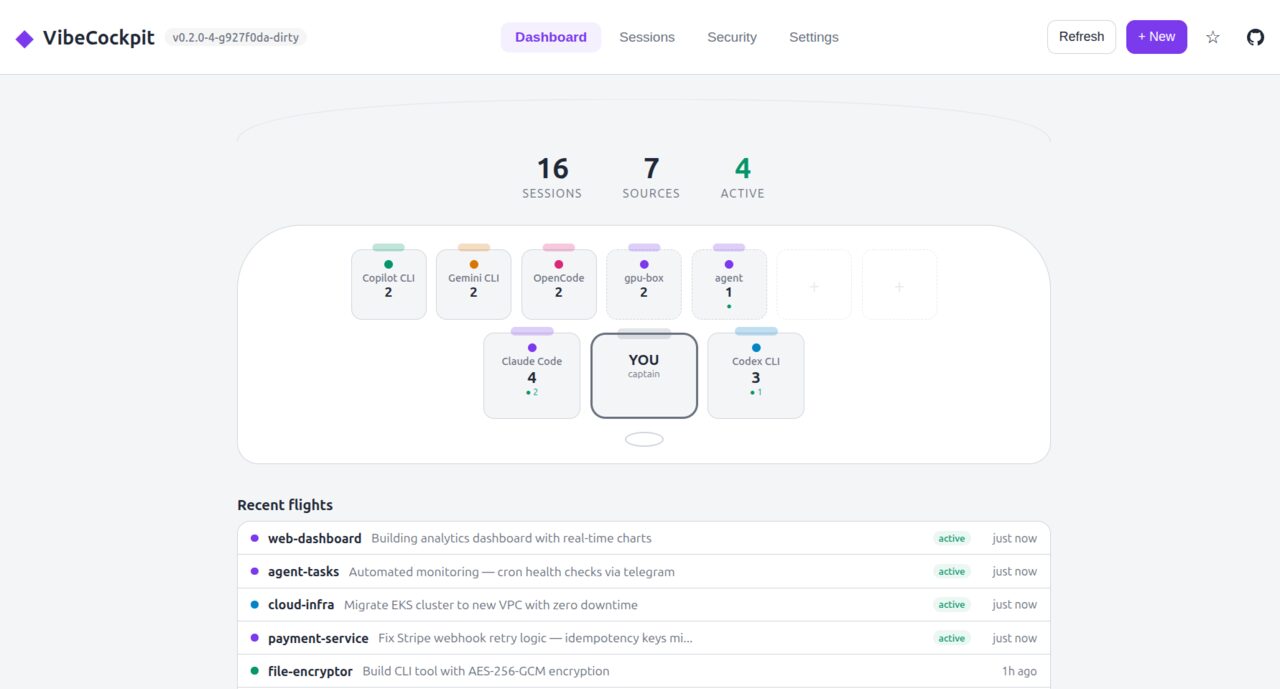
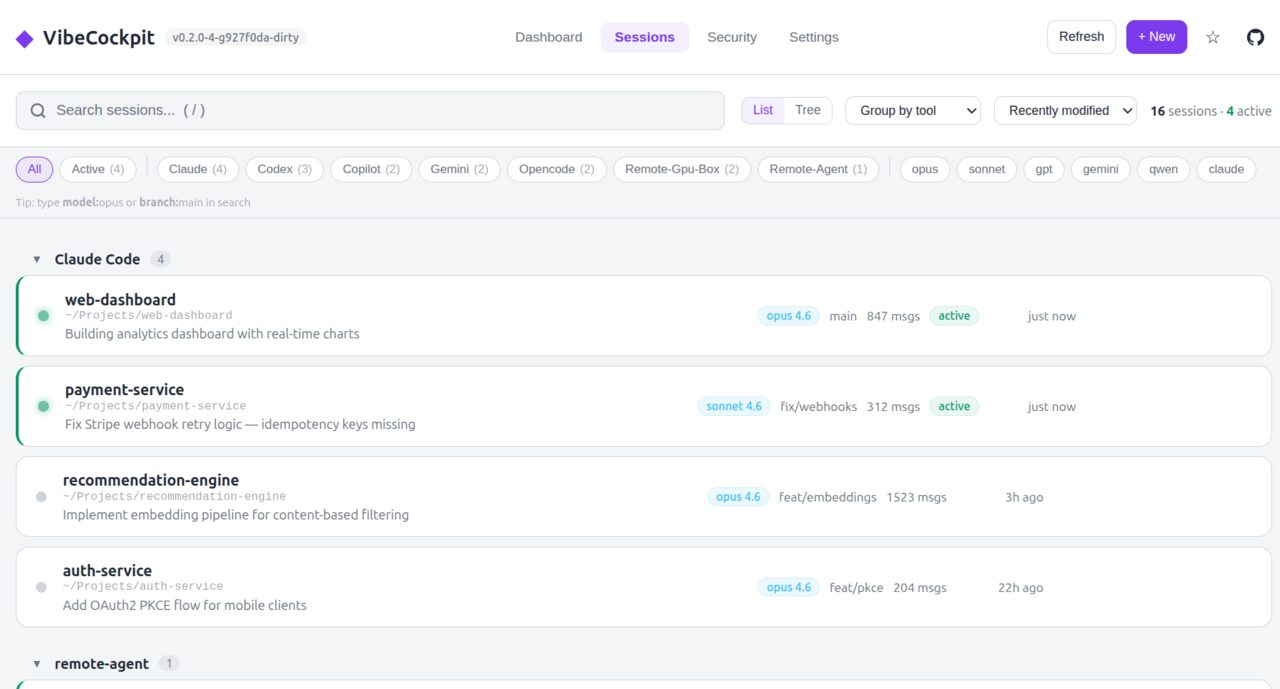
Zero config. Auto-detects your tools.
8 CLI tools, 15+ IDE extensions across VS Code, Cursor, Windsurf, Trae, and Zed.
Built for how you actually work
Single binary. No dependencies. Linux and macOS.
Search everything
Fuzzy search across all tools at once. Filter by model, branch, project, or active status. Find any session in seconds.
One-click resume
Click a session, it opens in your terminal. Works with 10+ emulators. Switch models before resuming. Also works over SSH to remote machines.
Single binary, zero config
~12 MB, no dependencies. Auto-detects installed tools. Web dashboard and terminal TUI included. Runs on Linux and macOS.
Cost tracking
See token usage and estimated costs across all tools in one view. Heatmaps, daily charts, and plan recommendations to optimize spending.
AI Tool Inventory
Full scan of your AI stack: CLI tools, IDE extensions, agent configs, MCP servers, memories, and sensitive files. One view, zero setup.
Adoption Timeline
When did you start using each tool? How has your AI workflow evolved? Forensic timeline with first-use dates, session history, and artifact tracking.
Fixing the issue was easier than finding last week's coding session.
Two commands. Every session from every tool.